
Birthday Party Projector Ideas
Published on September 29, 2026
Birthday Party Projector Ideas
A projector is a party decoration that can put someone's name across a whole wall, change colour when you change your mind, and fold back into a cupboard afterwards. Here are ten ways to use one at a birthday, plus a few for when all you've got is the TV.
Everything here runs in a browser tab with the free Birthday & Celebration Screen. For a projector, start by setting Background to Black (for projectors). Black is the one colour a projector can't throw, so the wall stays dark and the letters, confetti and balloons seem to float on the paint. In a properly dark room, the projector's faint grey rectangle almost disappears.
1. Their name across the whole wall
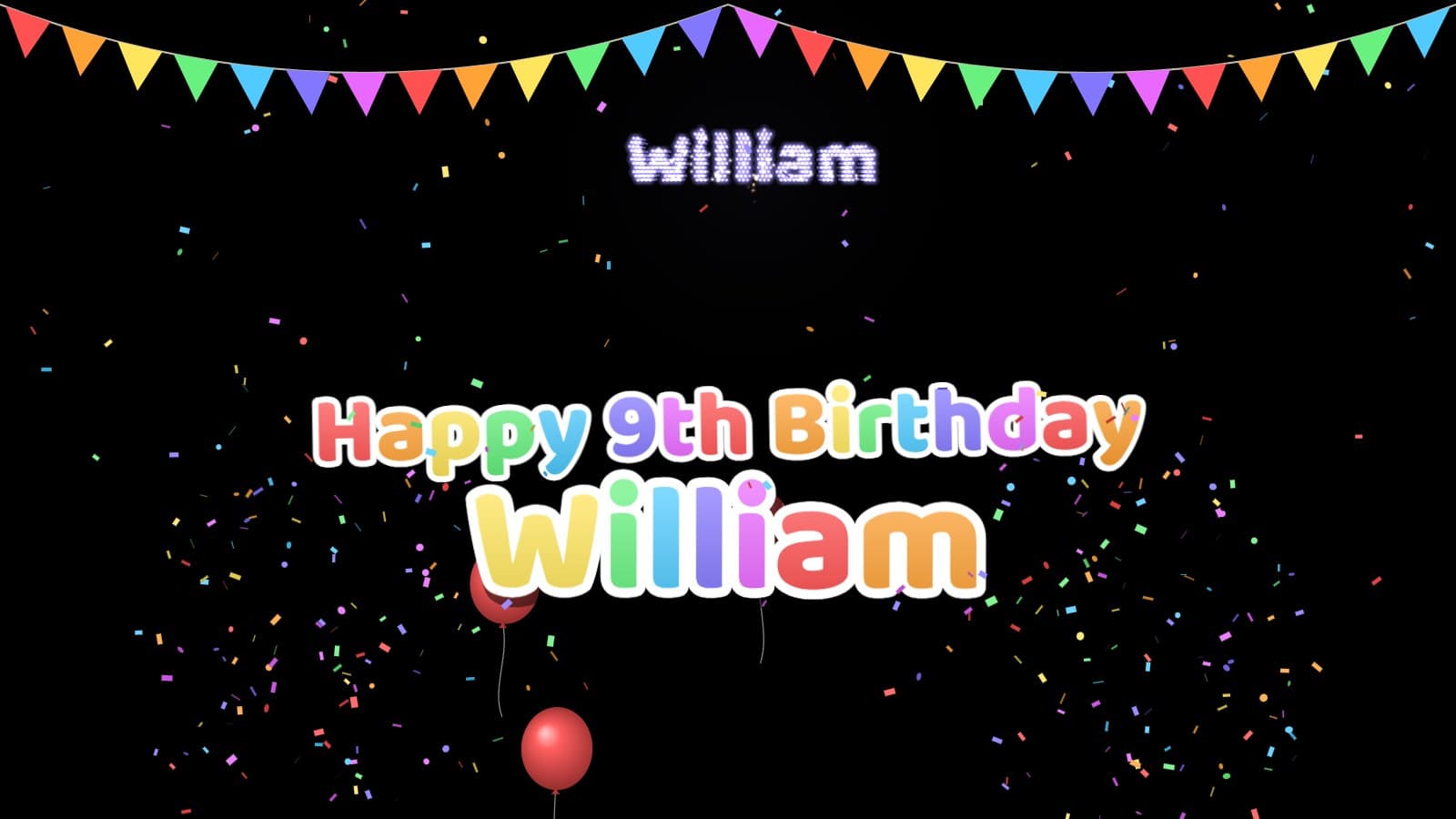
Type the name and the age, and the wall reads Happy 9th Birthday with the name underneath in the biggest letters in the room. Aim for the biggest pale wall in the house and use Scale to fill it without clipping light switches. Party lettering, the chunky rainbow style with a white outline, reads from the far side of a noisy room.
2. Fireworks that write their name
Turn Fireworks up to 10 or more a minute and leave Fireworks spell the name on. Every 25 seconds or so a rocket climbs, bursts, and its stars drift into the birthday person's name before drooping and fading like a real shell. Kids will point at it every time. No name typed? It spells the age instead: a giant "7" in stars.
3. The glowing front window
Hang frosted film, a sheer white curtain or a rear-projection screen in a front window (clear glass lets the image straight through), and project onto it from inside. Guests see a birthday greeting glowing in the window as they come up the path. Turn on Mirror horizontally so it reads the right way round from outside. Choose Your own message and type something useful, like "Party's round the back!"
4. The lights-off surprise
Set everything up with Brightness at 0%. The projector is on but sends only black, so in a dim room nobody notices it. When the birthday person walks in, the lights go up, everyone shouts, and you drag Brightness to full. The screen has been running the whole time, so it appears mid-celebration, with confetti already falling.
5. Team colours
Choose Custom colours and pick three: a football team's kit, a school's colours, or the birthday person's favourite shades. The letters, confetti, balloons, bunting and fireworks all switch to them. It's the cheapest themed decoration you'll ever put up.
6. Neon for teenagers
Teenagers don't want balloons. Try Neon lettering (glowing tubes that flicker now and then), Blue & silver or Pink & purple, Balloons at 0 and Bunting off. On a black wall in a dark room it looks like a sign outside a club. Add Disco Mode in another tab for when the dancing starts.
7. The golden milestone
For a 40th, 50th or 60th, choose Elegant lettering (spaced capitals over a gold italic name) and Gold & silver. Keep Confetti low and Fireworks at a gentle 4–6 a minute, and set Text motion to Still. "Happy 50th Birthday" in gold on a dining-room wall sets the tone for a dinner better than a helium bouquet.
8. Confetti chaos for small kids
Push Confetti and Balloons to 100% and set Text motion to Pulse so the letters bounce gently. A cannon pops confetti from both corners every 45 seconds, which is roughly how long a five-year-old can sit still. Between cake and presents, switch to Disco Mode for a dance break.
9. The photo-booth wall
Make the projected greeting the backdrop for party photos. The projector's beam lands on whoever stands in front of it, so mount it high or angle it in from the side, and keep the birthday person's face out of the direct light. Text motion set to Still keeps the lettering in the same spot in every photo.
10. Birthdays this month, at the office
For a shared office celebration, choose Your own message and type "September birthdays!" (up to 32 characters), then leave Name blank. Put it on the meeting-room projector with Script lettering, then switch to Fireworks Projector when the cake comes out.
No projector? Use the TV
The same screen fills a TV without a projector. Pick Party lights as the background, a soft dusk with out-of-focus coloured lights, or Solid colour to match the party.
- The walk-in reveal. Set everything up with the TV switched to another input, then switch over as the birthday person comes through the door.
- Count down to the candles. Run a Countdown Timer until the cake is ready, then switch tabs to the birthday screen.
Setup for the TV (HDMI or casting, and stopping the laptop from sleeping mid-party) is in the help article.
Getting the room right
- Darkness beats brightness. Close the curtains and switch off the lights nearest the wall. A modest projector in a dark room usually looks better than a bright one in daylight.
- Pale, matte walls work best. Dark or glossy surfaces swallow or scatter the light, so bring the projector closer for a smaller, brighter picture.
- Keep the tab open. The name and settings aren't saved, so reloading the page resets them.
Try These Effects
Birthday & Celebration Screen
A free happy birthday screen for a TV, laptop or projector. Type a name and an age and it reads "Happy 7th Birthday" in big party lettering, with confetti, rising balloons, bunting and fireworks that spell the name. Choose the background and colours, or switch to an anniversary, graduation, congratulations or a message of your own.
Fireworks Projector
A free fireworks show for a projector, TV or laptop. Project bursts onto a wall or window on true black, or switch to Full screen for fireworks over a harbour or city skyline, with no projector needed. Choose New Year's Eve, Fourth of July, Celebration or Wedding gold, add a grand finale, and turn on the booms if you like.
Disco Mode
Epic 3D disco ball with real-time audio responsiveness - features rotating mirror tiles, rainbow beams, and dramatic scaling that reacts to bass, treble, and volume
Countdown Timer
A stunning countdown timer with customizable backgrounds, music, and visual effects. Perfect for focus sessions, Pomodoro technique, breaks, and productivity timing with beautiful particle effects and multiple clock styles.
Related Articles
Need a Strobe Light Online? Instant Party Atmosphere, No Equipment
Skip the rental counter — this free strobe light online turns any screen into club flash lighting in seconds, safety warnings included.
How to Make a Scrolling LED Sign Online (Free LED Scroller)
Build a running-text LED sign for your next event in minutes with this free online LED scroller — no app, no hardware, no design software.
7 Ways to Use an Online Dice Roller in Class and at Game Night
From probability lessons to Yahtzee night, here's how an online dice roller replaces physical dice for classrooms, families, and streamers alike.