
Digital World Clock: Track Global Time Zones With Multiple Display Styles
Published on August 26, 2025
Digital World Clock: Global Time Tracking Meets Digital Aesthetics
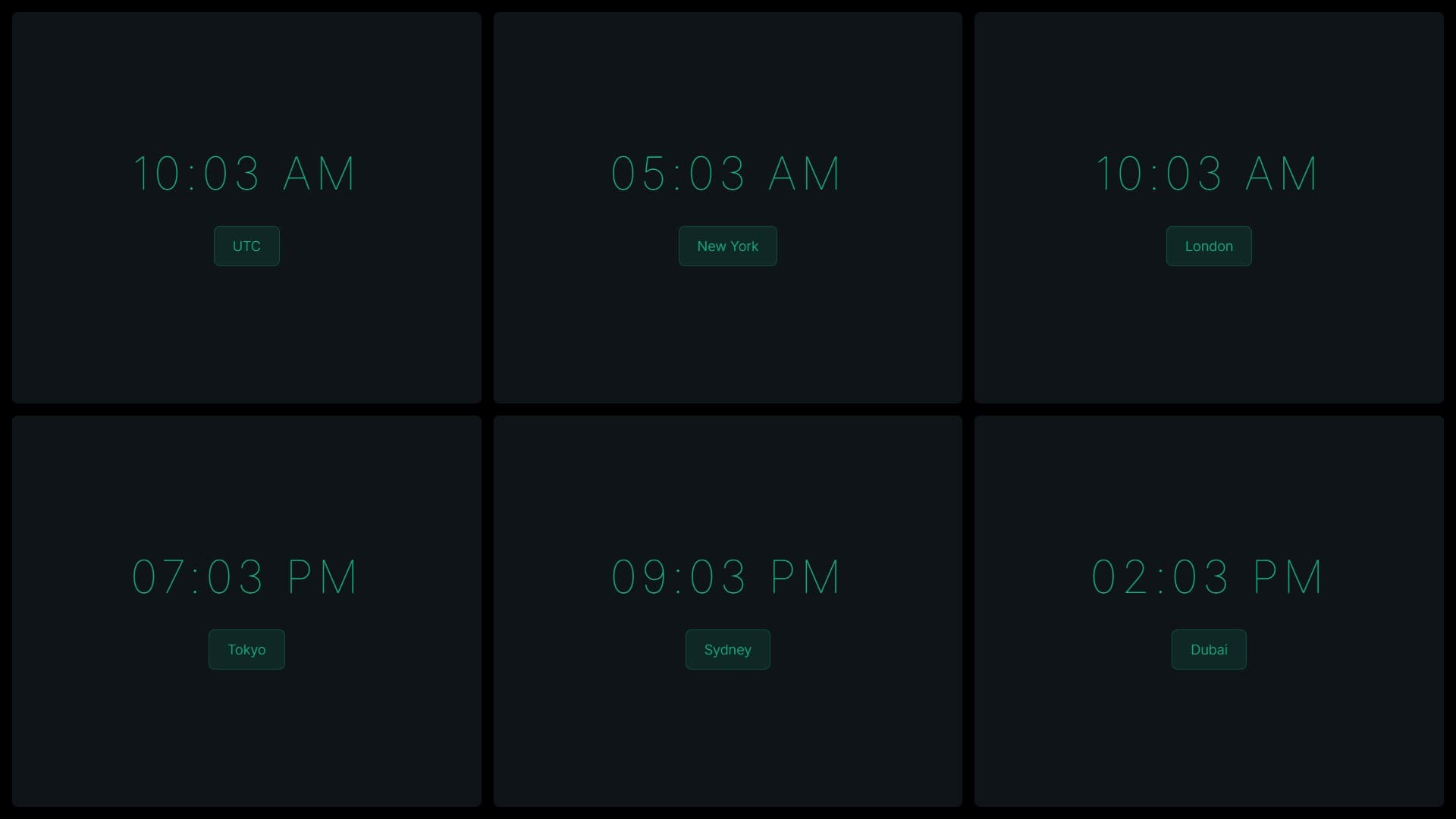
What happens when you combine the functionality of world time tracking with the stylistic variety of digital displays? You get Digital World Clock - a powerful tool that lets you monitor multiple time zones simultaneously, with each clock showcasing its own unique display style from split-flap to neon to modern typography. It's practical time tracking that doubles as visual art.
Multiple Time Zones, Multiple Personalities
Digital World Clock takes the concept of time zone tracking and elevates it with unprecedented customization. Unlike traditional world clocks that display all times in the same format, this effect lets you assign different display styles to different locations, creating a rich visual hierarchy that makes it easy to identify and differentiate your tracked time zones at a glance.
Imagine your Tokyo office displayed in neon style, your London headquarters in classic LED red, your New York team in sleek modern typography, and your Sydney partners in retro split-flap - each clock immediately recognizable not just by its time but by its distinctive visual identity.
Six Display Styles Per Clock
Each time zone clock in your world clock setup can use any of the six available styles:
Split-Flap: Perfect for locations you associate with travel - airports, train stations, and adventure destinations get that authentic departure board aesthetic.
LED Display: Ideal for tech hubs and business centers - give your major office locations that professional, established digital display feel.
LCD Display: Great for secondary locations or support offices - clean, efficient, and functional without dominating the visual space.
Neon Display: Assign to creative hubs, entertainment districts, or locations known for vibrant nightlife - the electric glow captures their energy.
Matrix Display: Technical centers, data hubs, or locations where your engineering teams work deserve the precise, grid-based matrix aesthetic.
Modern Typography: Use for contemporary offices, startups, or anywhere you want clean, minimalist time display that prioritizes clarity.
Gaming Community Coordination
For gamers and esports enthusiasts, Digital World Clock has become an essential tool:
Clan and Guild Management: Track when your international teammates are online by monitoring their local times with easily distinguishable displays.
Tournament Scheduling: Organize events across regions by understanding everyone's local time context at a glance.
Streaming Coordination: Content creators working with international audiences can monitor prime streaming hours across different regions.
Gaming Session Planning: Find optimal times for multiplayer sessions that work for players across multiple continents.
The ability to style each region's clock differently helps gamers quickly identify which teammates are likely available - perhaps using bright neon for currently active hours and dimmer LED for sleep times.
Remote Work Command Center
Digital World Clock transforms remote work coordination:
Team Availability Awareness: Know at a glance which team members are in working hours versus personal time.
Meeting Optimization: Before scheduling that cross-timezone meeting, check all relevant clocks to find times that work for everyone.
Asynchronous Communication: Time your messages and requests appropriately by understanding each recipient's local time context.
Global Operations: For companies with 24/7 operations across continents, monitoring all operational time zones becomes intuitive and visually engaging.
The different display styles serve a practical purpose here - you might use neon for priority locations, LED for standard offices, and modern typography for client time zones, creating an instant visual hierarchy.
Creative and Streaming Setups
Content creators have embraced Digital World Clock for its unique visual appeal:
Streaming Backgrounds: Create dynamic, interesting backgrounds for streams that serve a function while looking impressive.
Time Zone Shout-outs: Easily reference viewer time zones during streams by having them visible in your setup.
Production Timing: Coordinate with editors, collaborators, and guests across regions by keeping their local times front and center.
Visual Interest: The variety of display styles adds movement and interest to static streaming setups without being distracting.
Business Operations Dashboard
Professional environments benefit from Digital World Clock's clarity and functionality:
Trading Floors: Monitor market opening and closing times across global exchanges with precise digital displays.
Customer Support: Track support coverage across time zones to ensure 24/7 availability and smooth handoffs.
Logistics and Shipping: Coordinate international shipping, delivery, and customs operations across multiple time zones.
Executive Decision Making: Keep global time awareness front and center during strategic planning and international negotiations.
Travel Planning and Coordination
For frequent travelers and trip planners, Digital World Clock offers practical benefits:
Multi-Destination Trips: Track time across all your upcoming destinations to understand scheduling and jet lag challenges.
Family Coordination: Keep tabs on family members in different countries by monitoring their local times with distinctive displays.
Event Coordination: Plan virtual events, conferences, or celebrations that span time zones by visualizing all relevant times simultaneously.
Itinerary Optimization: Understand layover times, connection windows, and arrival times in context by seeing multiple zones together.
Customization for Maximum Utility
Beyond choosing display styles, Digital World Clock offers extensive customization:
Color Coding: Assign unique colors to each clock to create additional visual differentiation - warm colors for personal contacts, cool colors for business locations, etc.
Size Scaling: Make your most important time zones larger and more prominent while keeping secondary zones smaller.
Time Format Selection: Choose 12 or 24-hour format independently for each clock based on regional conventions or personal preference.
Label Customization: Name each clock with city names, office locations, or personalized identifiers that make sense for your needs.
Educational Applications
Digital World Clock serves as an excellent teaching tool:
Geography Lessons: Demonstrate how time zones work by showing multiple digital clocks progressing at the same rate but displaying different times.
Mathematics: Explore time calculations, number systems, and the concept of simultaneous events in different locations.
Global Awareness: Help students understand the 24-hour nature of our world and develop empathy for people living in different time contexts.
Technology History: Use the various display styles to teach about the evolution of digital display technology from LEDs to modern screens.
Technical Sophistication
Behind the varied aesthetics lies robust technical implementation:
- Automatic DST Handling: Each clock adjusts for Daylight Saving Time based on local rules
- Precise Synchronization: All clocks stay perfectly synchronized despite showing different times
- Efficient Rendering: Multiple animated displays run smoothly without excessive resource usage
- Accurate Time Zone Data: Uses authoritative databases to ensure correct time zone offsets
Setting Up Your Global Dashboard
Creating your personalized world clock display is straightforward:
- Select Time Zones: Choose the cities or regions you need to monitor
- Assign Display Styles: Pick a unique style for each location - split-flap, LED, neon, matrix, or modern
- Customize Colors: Set colors that help you quickly identify each clock
- Arrange Layout: Position clocks in a hierarchy that matches their importance to you
- Add Labels: Name each clock for instant identification
Beyond Simple Timekeeping
Digital World Clock transcends its practical function to become:
Artistic Display: The combination of different digital display styles creates visually interesting compositions.
Status Board: Use it as a dynamic status display showing which global operations are in business hours.
Ambient Information: Keep it visible in your peripheral vision for passive time zone awareness without active checking.
Conversation Piece: The unique display styles attract attention and prompt discussions about global connectivity.
Experience Global Time With Style
Ready to upgrade your time zone tracking from boring to brilliant? Visit WebLight.app and explore Digital World Clock. Create a personalized global time dashboard that's as functional as it is visually engaging. Mix split-flap nostalgia with neon energy, combine LED classics with modern typography, and build a time display system that's uniquely yours.
Because in our globally connected world, knowing what time it is elsewhere isn't optional - it's essential. Digital World Clock just makes that essential tool beautiful, customizable, and genuinely enjoyable to use.