
New Year's Eve Projector Party Ideas
Published on September 26, 2026
New Year's Eve Projector Party Ideas
A projector is the cheapest way to change how a room feels on New Year's Eve. A blank wall becomes a night sky, a garage door becomes a fireworks display, and the moment everyone is waiting for gets a proper finale. You don't need special gear, either. A laptop, a projector (or the TV you already own) and a browser cover everything below.
These ideas run roughly in the order of an evening, from guests arriving to the first minutes of the new year. Everything linked here is free and runs in the browser.
1. A slow starfield while guests arrive
Early in the evening, keep the wall calm. The Starfield effect drifts stars towards you across the whole wall. It sets a "night sky" mood without competing with conversation. Keep the brightness low. The point is atmosphere, not a light show.
Why it works: it fills a big blank wall without flashing, so nobody feels they have to watch it.
2. A welcome message on the wall
Project the year, or a line like "Welcome to 2027", with the LED Banner. Scrolling LED text looks like a stadium sign and reads well from across the room. Change the message at midnight to "Happy New Year!"
Tip: this looks best on a plain wall near the entrance, where people see it as they arrive.
3. Fireworks on a loop through the evening
Put the Fireworks Projector on a second wall and let it run all night at a relaxed pace:
- Display: Projector (black background)
- Theme: New Year's Eve (gold, silver, magenta and cyan)
- Launch rate: 10 to 15 per minute
- Finale: Off, saving the big moment for midnight
- Fireworks sound: off, so it doesn't talk over the room
At that pace a shell goes up every few seconds. It's enough to catch the eye without turning the wall into a strobe.
4. The TV-only version: fireworks over a harbour
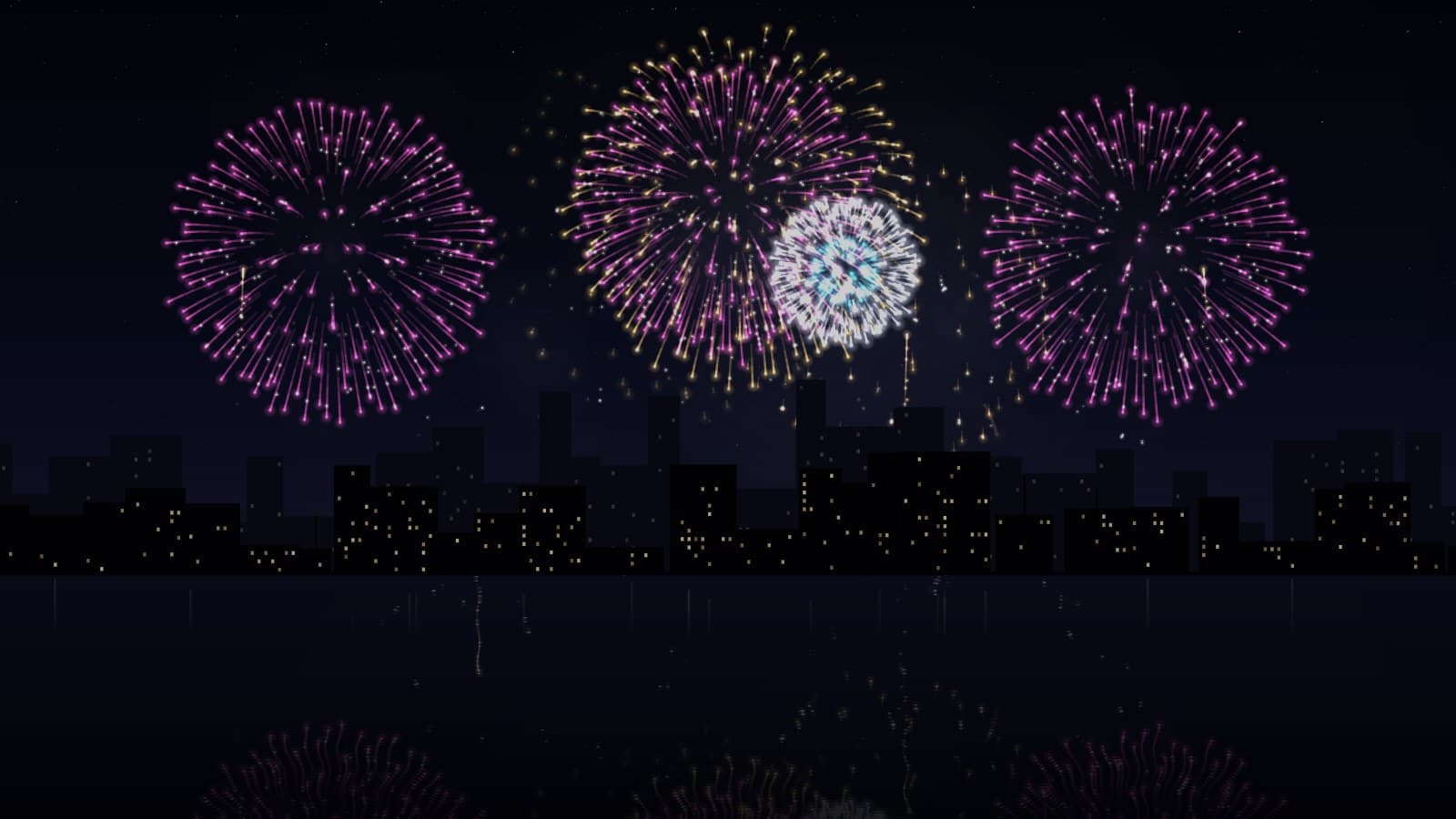
No projector? Set Display to Full screen (night sky) and choose Harbour at night for the Scenery. You get fireworks over a city skyline, reflected in dark water, on any TV connected to a laptop over HDMI. It looks like a live broadcast of a harbour show, without the ads or the lag.
Tip: turn on Smoke at about 30% in Full screen. Against a painted sky, the smoke lit by each burst adds real depth. On a projector, keep it low, because smoke is grey light on your wall.
5. A dance-floor corner
Once the music gets going, give one corner of the room a party light. The Disco Ball effect reacts to music through the microphone, so the lights pulse with whatever's playing. A second screen or a small projector aimed at the ceiling over the dance floor is enough.
6. The countdown
In the last minute, everyone wants to see the clock. Put the Countdown Timer on the main screen. It counts down a set duration, so set it to 10 minutes and start it at exactly 11:50. Then the whole room can count the last ten seconds together.
If you'd rather have a single screen that goes straight from countdown to fireworks, start the fireworks show at the right moment instead. It runs in cycles, and the closing salvo fires four seconds before each cycle ends. Set Finale every to 60 seconds and select Play Fullscreen at 11:59:04. The show builds for the last few seconds of the year, and the wall of shells lands on the stroke of twelve.
7. Fireworks at midnight, with the sound on
This is the big moment. Switch the fireworks to full intensity:
- Finale: Non-stop
- Launch rate: 60 per minute
- Burst size: 130% or more
- Fireworks sound: on, with Volume to taste
Non-stop keeps the show at finale intensity: shells go up in quick succession, with crackling tails and symmetrical pairs. After five minutes or so, switch Finale back to Every few minutes so the show can breathe again.
Outdoors: a garage door or the front of the house makes a great midnight display for the street. Take the sound down if you have neighbours with pets. The fireworks still look the part without the bangs.
8. A gentle wind-down
After midnight, bring the energy back down. Switch the fireworks to Wedding (gold) at a low launch rate for slow gold willows that drift down the wall, or go back to the starfield from the start of the evening. A room that quietly glows gold is a nice way to see the last guests out.
Setup checklist
- Test the night before. Connect everything, run each effect in fullscreen, and check the projector reaches the wall you want.
- Darkness makes it. Projected light looks best with lamps off near the wall. Fairy lights across the room are fine.
- Mirror for windows. Projecting onto film or a curtain in a window from inside? Turn on Mirror horizontally so people outside see it the right way round.
- Brightness is your volume knob for light. Turn it down for a background effect and up for the main event. At 0% the output is black.
For the full setup, from choosing a wall to fitting the picture, see How to Project Fireworks on a Wall. Happy New Year.
Try These Effects
Fireworks Projector
A free fireworks show for a projector, TV or laptop. Project bursts onto a wall or window on true black, or switch to Full screen for fireworks over a harbour or city skyline, with no projector needed. Choose New Year's Eve, Fourth of July, Celebration or Wedding gold, add a grand finale, and turn on the booms if you like.
Countdown Timer
A stunning countdown timer with customizable backgrounds, music, and visual effects. Perfect for focus sessions, Pomodoro technique, breaks, and productivity timing with beautiful particle effects and multiple clock styles.
Starfield
Classic flying through space starfield effect reminiscent of retro screensavers
Disco Mode
Epic 3D disco ball with real-time audio responsiveness - features rotating mirror tiles, rainbow beams, and dramatic scaling that reacts to bass, treble, and volume
LED Banner
Free online LED scroller and banner with running text. Customize colors, fonts, and scroll speed for announcements, events, streams, and signage — no app needed.
Related Articles
WebLight + OBS: 7 Browser Source Effects for Your Stream
Seven ways to use WebLight as an OBS browser source, from a fireworks backdrop to a starting-soon timer, each from one copied link.
How to Project onto a Floor Without Mounting a Projector on the Ceiling
Floor projection usually means a ceiling rig. Three setups that work from a table or shelf, and how to fix the stretched picture an angled projector gives.
How to Project Fireworks on a Wall
Put a fireworks show on a wall, window or garage door with a projector and a browser, with no smoke and no noise complaints. Set it up and time the finale.