
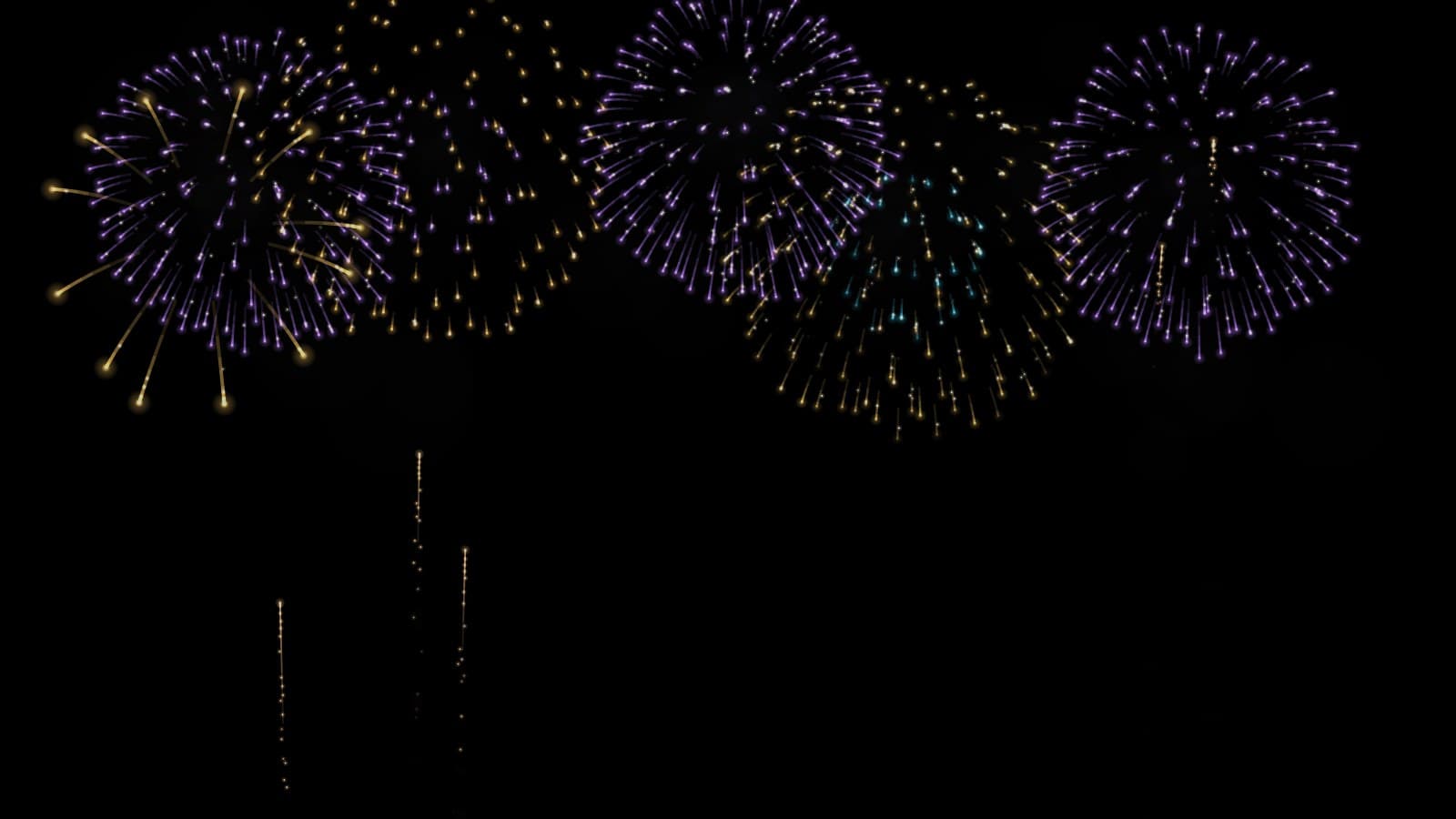
How to Project Fireworks on a Wall
Published on September 26, 2026
How to Project Fireworks on a Wall
Real fireworks need space, permits, a dry night and neighbours who don't mind. Projected fireworks need a projector, a dark wall and a browser. They won't shake the windows, but they will light up a party, fill the side of a house on New Year's Eve, or give a wedding reception a gold finale indoors, where real ones would never be allowed.
This guide covers the setup from start to finish using the free Fireworks Projector: choosing a surface, fitting the picture, choosing a theme and deciding when the finale should land.
What you need
- A projector. Any home, office or portable projector will do. Fireworks are mostly black sky, so even a modest projector looks good once the room is dark.
- A laptop or computer with a browser, connected to the projector over HDMI. The show is generated live in the browser. There are no video files to download, so it doesn't loop.
- A surface. A pale wall, a ceiling, a garage door, a white sheet or a window with something translucent hung in it.
- Speakers (optional). The effect can make its own launch whooshes, booms and crackles, made in the browser with no audio files.
No projector? The same page has a full-screen mode made for TVs, covered in "No projector? Use a TV" below.
Step 1: Choose your surface
A wall or ceiling indoors. Point the projector at a pale, matte wall. Fireworks work best when they have room to spread, so give them as much height as you can. A burst starts near the top of the picture and its stars fall and fade downwards.
A garage door or the side of a house. This is the classic outdoor New Year's Eve setup. Light-coloured doors and render work best. Brick and dark wood swallow a lot of light, so bring the projector closer, which makes the picture smaller and brighter. Wait until it's properly dark. Fireworks at dusk look washed out.
A window. Clear glass lets the light straight through, so hang rear-projection film, frosted film or a sheer white curtain in the window. The projector shines onto it from inside, and people outside see fireworks glowing in the glass. How to Project Christmas Decorations on a Window goes into materials and mounting.
Step 2: Set the display to Projector
Open the effect and look at the Display control first. It has two settings:
- Projector (black background) keeps everything except the fireworks exact black. Black means no light, so on a wall or a window only the bursts appear, with no grey rectangle around them.
- Full screen (night sky) paints a night sky with a skyline for TVs and monitors. On a projector, that sky would light up the whole wall.
For a wall, garage door or window, use Projector. Then select Play Fullscreen on the laptop connected to the projector.
Step 3: Fit the picture
The Placement controls only appear with the Projector display.
- Scale shrinks or enlarges the show, from 25% to 200%. Shrink it to keep the fireworks inside a door frame or a single window pane.
- Horizontal position and Vertical position slide the picture around, so you don't have to move the projector to aim it.
- Mirror horizontally is for rear projection. When the projector shines onto the back of window film, people outside would otherwise see everything reversed. Fireworks look much the same either way round, so this matters most when you've moved the show to one side with Horizontal position.
- Flip vertically is for a projector mounted upside down on a ceiling that can't flip its own picture.
Step 4: Choose a theme and a pace
Theme sets the mix of shells and colours:
| Theme | Looks like |
|---|---|
| Celebration | A classic mixed show: peonies, chrysanthemums, rings, palms, crossettes and strobes in rainbow colours |
| New Year's Eve | Gold, silver, magenta and cyan, with more strobes, willows and crackle |
| Fourth of July | Red, white and blue, with more symmetrical pairs and triples |
| Wedding (gold) | Gold willows, chrysanthemums and heart-shaped bursts in gold, cream, white and blush |
Colours recolours any theme without changing its shells. Choose Red, white & blue for a national day, Green & gold for St. Patrick's Day, or Pink & purple for a birthday.
Then set the pace:
- Launch rate is shells per minute, from 4 to 60. Around 30 feels like a real show. Drop it to 10 for a calm background at a dinner party.
- Burst size makes every shell bigger or smaller. If the picture is small, such as a single window pane, bigger bursts fill it better.
- Trail length controls how long the streaks behind each star last. Long trails look dramatic on a wall. Shorter trails look crisper on a dim projector.
- Smoke adds drifting smoke that glows briefly in each burst's colour. It looks good in Full screen, but on a projector smoke is grey light on your wall, so keep it at 15% or below.
- Turn off Rising rockets if you only want the bursts, for example when the bottom of the picture falls on furniture.
Step 5: Plan the finale
A fireworks show needs an ending, and the Finale group handles it.
- Every few minutes (the default) runs the show in cycles. The last 12 seconds of each cycle build to several times the launch rate, end in a wall of shells right across the sky, and then go quiet for about four seconds before the next cycle begins. Finale every sets the cycle length, from 30 seconds to 10 minutes.
- Non-stop holds the show at finale intensity. It's great for the first minutes of the new year, and a lot for anything longer.
- Off keeps a steady show with no build.
The cycle clock starts when the show starts, and the closing salvo fires four seconds before each cycle ends. For a finale at midnight, set Finale every to 60 seconds and select Play Fullscreen at 11:59:04. The salvo then lands on the stroke of twelve. If you'd rather have an on-screen countdown, run the Countdown Timer on another screen and switch to fireworks at zero.
Step 6: Sound, if you want it
Turn on Fireworks sound in the Sound group for launch whooshes, deep booms and crackling tails, all made in the browser. It starts off, and Volume has its own slider. If the browser blocks audio until you interact with the page, a message asks you to tap anywhere on the page. Do that once and the booms start.
Outdoors, think about the neighbours and any pets nearby. A silent show still looks like fireworks. That's half the reason to project them.
No projector? Use a TV
Set Display to Full screen (night sky) and choose a Scenery:
- Harbour at night: a city skyline across dark water that reflects the fireworks.
- City skyline: the skyline on its own, with lit windows.
- Open sky: stars and a low treeline, for the biggest sky.
Connect the laptop to the TV with HDMI, select Play Fullscreen, and send the sound through the TV speakers. This is the easiest way to put fireworks on the screen at a New Year's party, with nothing to set up but a cable.
Getting the best picture
- Darkness matters more than brightness. Close curtains, turn off lights near the wall, and wait for full dark outdoors.
- Use Brightness to tone it down. On a small wall in a dark room, full brightness can look harsh. At 0% the output is black.
- Test before guests arrive. Run the show for five minutes and watch one full finale cycle, so you know how it ends.
Fireworks pair well with other projections through the evening. Falling Snow works before midnight at a winter party, and Christmas Window Scenes carry a window display through December. Whatever the occasion, once the room is dark the show only takes a minute to set up.
Try These Effects
Fireworks Projector
A free fireworks show for a projector, TV or laptop. Project bursts onto a wall or window on true black, or switch to Full screen for fireworks over a harbour or city skyline, with no projector needed. Choose New Year's Eve, Fourth of July, Celebration or Wedding gold, add a grand finale, and turn on the booms if you like.
Countdown Timer
A stunning countdown timer with customizable backgrounds, music, and visual effects. Perfect for focus sessions, Pomodoro technique, breaks, and productivity timing with beautiful particle effects and multiple clock styles.
Falling Snow Projector
Make it snow on a window, wall or TV. Choose gentle snowfall, a heavy storm, big drifting crystals, wind-blown snow or a magical sparkle, and let it settle along the bottom edge. Everything else stays black, so only the snow lights up.
Christmas Window Scenes
Project falling snow, Santa, a busy elf, a reindeer, a snowman, a toy train circling the tree, a crackling fireplace or a snowy Christmas village onto a window, wall or TV. Hologram scenes loop on black, so only the decoration lights up; full scenes fill a wall with a complete Christmas picture.
Related Articles
WebLight + OBS: 7 Browser Source Effects for Your Stream
Seven ways to use WebLight as an OBS browser source, from a fireworks backdrop to a starting-soon timer, each from one copied link.
New Year's Eve Projector Party Ideas
Eight ways to use a projector, or just a TV, at a New Year's Eve party: from a slow starfield at dinner to fireworks at midnight, with the settings for each.
How to Project onto a Floor Without Mounting a Projector on the Ceiling
Floor projection usually means a ceiling rig. Three setups that work from a table or shelf, and how to fix the stretched picture an angled projector gives.