
How to Project Christmas Decorations on a Window
Published on September 24, 2026
How to Project Christmas Decorations on a Window
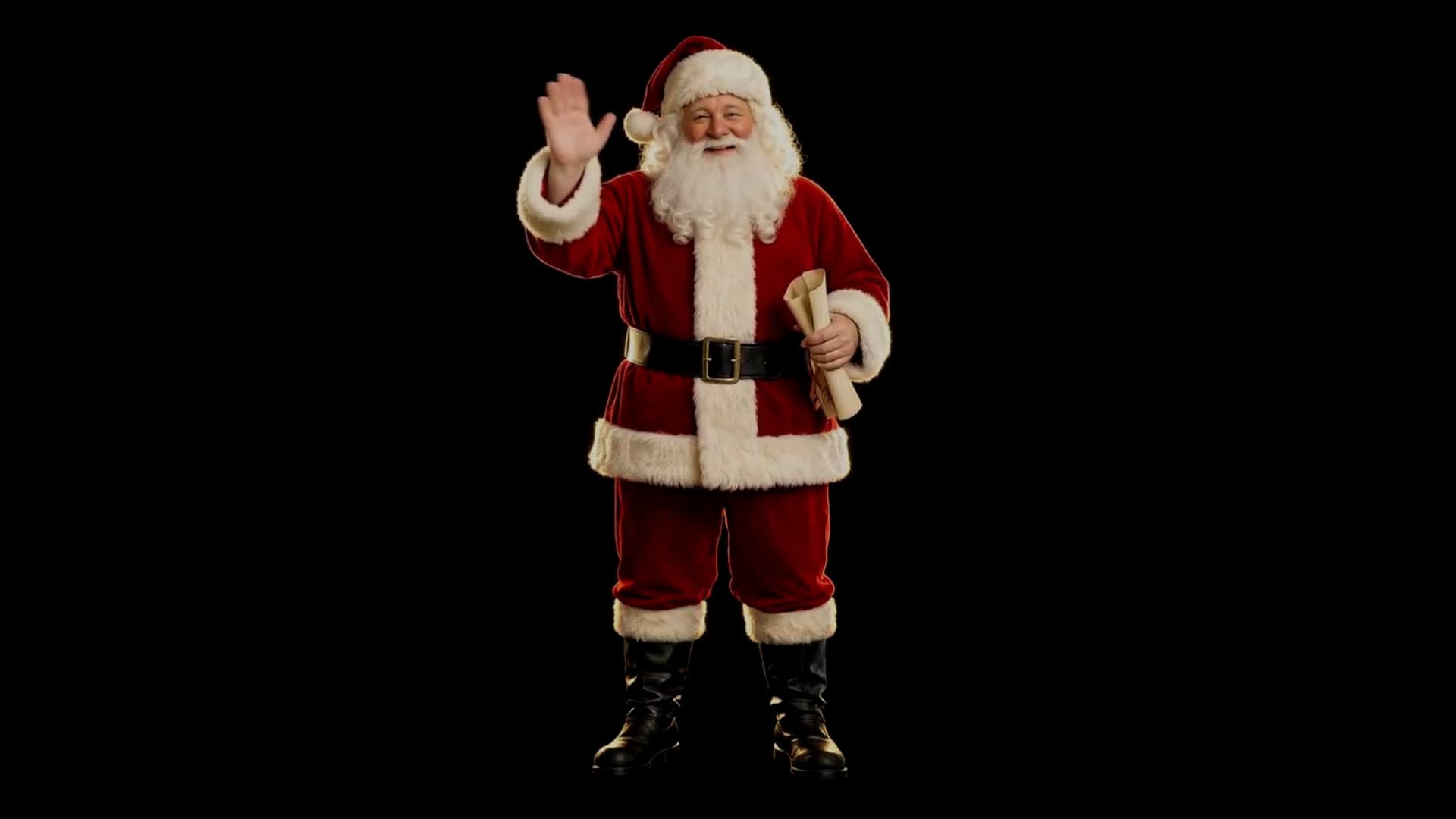
A projected window display is the animated decoration people slow down for on the sidewalk: snow drifting past, an elf showing off a gift, Santa fading up out of the dark to wave. You don't need a special "holiday projector" or a paid video pack. You need any projector, a laptop or streaming stick with a browser, and one thing most first attempts leave out: something in the window for the light to land on.
This guide covers what to hang in the window, where to put the projector, how to get the image the right way round, and how to make it look bright from the street.
Why the window needs a screen
Clear glass lets almost all of the projector's light pass straight through, so the image lands on whatever is outside, or on nothing at all. To see a picture in the window you need a translucent surface that catches the light and lets it glow through to the other side. Any of these work:
- Rear-projection film or window projection screen material. This is made for the job. It gives the brightest, sharpest image and looks nearly invisible when the projector is off. Most sheets attach to the glass with water or static cling.
- A sheer white curtain or voile. It's cheap, and you may already own one. The image is softer and loses some brightness, but it's fine for snow and glowing scenes. Pull it taut so folds don't break up the picture.
- Frosted window film. It's a decent middle ground if you want something that also works as privacy film the rest of the year.
Plain white paper or a bedsheet will show an image too, but they block a lot of light and look like what they are once the room lights come on.
Rear or front projection?
For a window display seen from the street, you'll almost always project from inside the house onto the back of the material. This is rear projection. The audience outside sees the image through the screen, and the projector stays hidden and dry.
Because the audience is on the other side of the screen, the picture reaches them mirror-reversed. Text reads backwards, and Santa waves with the wrong hand. Fix this in software, not by rehanging anything. In Christmas Window Scenes, open the Placement group and turn on Mirror horizontally.
Front projection means putting the projector outside, aimed at the window. It only makes sense for an exterior wall or garage door, where you'd also have to deal with weather and power outdoors.
Setting it up
- Hang the material first. Cover at least the area you want to light. A slightly larger sheet hides the edges of the projected image.
- Place the projector inside, square to the window. A table or shelf a few feet back from the glass is typical. The further back it sits, the larger the image. Aim straight at the window rather than at an angle, so the picture isn't keystoned into a trapezoid.
- Connect the computer and extend or mirror the display. Open the effect on the screen that goes to the projector.
- Pick a scene and go fullscreen. Christmas Window Scenes opens on Falling Snow, which runs in the browser with nothing to download. Santa at the Window and Elf Workshop are short films of Santa waving and reading his list, and an elf showing off a gift.
- Fit the image to the glass. Use Scale to size the scene, then Horizontal position and Vertical position to line it up with the window frame. Everything outside the scene stays black, so any spill onto the wall or frame is barely visible.
- Mirror if you're projecting from behind. Check from outside once, because it's much easier to judge there than from the projector's side.
Making it bright enough
Windows are backlit by the room, and a projected scene competes with every lamp in it. Three things make the biggest difference:
- Turn off the lights in that room. Light falling on the back of the screen washes the image out from the street side.
- Wait for full dark. Dusk looks fine indoors and invisible outside. Most window displays come into their own an hour after sunset.
- Don't make the image bigger than you need. The same projector gets visibly brighter as the image shrinks. A scene that fills one pane glows more than one stretched across a bay window.
The scenes are designed with pure black backgrounds for this reason: the projector only spends light where the decoration is.
Advanced tips
- Several windows. A single projector can only light one surface well. For a multi-window display, run a second device and projector, and give each window a different scene. Snow in one and Santa in another reads as a deliberate design.
- Upstairs windows make great stages because passers-by see them from a distance and at an angle. Push the scene down with Vertical position so it sits in the lower part of the pane, where people actually look.
- Leave it running. The scenes loop with no visible restart, so you can start them at sunset and forget them. Use a smart plug to switch off the projector at bedtime.
- Check the brightness from outside. Brightness dims the scene without turning the black background grey. That's useful when a scene looks harsh on a small window.
FAQ
Can I project onto a window without any film or curtain? Not in a way anyone will see well. Clear glass passes the light straight through. You need some translucent material in the window to catch the image.
Do I need a special Christmas projector? No. Any projector that accepts a laptop, mini PC or streaming stick works. The decorations come from the browser, not the hardware.
Why does the image look reversed from outside? You're projecting onto the back of the screen. Turn on Mirror horizontally in the Placement settings.
Will it work in the daytime? Only faintly. Projected window displays are an evening decoration. Start them after dark.
Is there sound? Not in the window scenes. They're silent, which is usually what you want for a street-facing window. Two of the full scenes for walls and TVs, Santa on the Roof and Elf Toyshop, have an optional soundtrack you can switch on with Scene sound.
Try it
Open Christmas Window Scenes on the computer connected to your projector, and start with Falling Snow. For more ideas, see Christmas window projection ideas. If you're already planning next October, the same setup runs the Halloween Projector Scenes. Browse everything built for projectors in Projector Effects.
Try These Effects
Christmas Window Scenes
Project falling snow, Santa, a busy elf, a reindeer, a snowman, a toy train circling the tree, a crackling fireplace or a snowy Christmas village onto a window, wall or TV. Hologram scenes loop on black, so only the decoration lights up; full scenes fill a wall with a complete Christmas picture.
Halloween Scenes
Choose wandering spirits, watchful eyes, glowing jack-o’-lanterns, a zombie at the glass or a Victorian phantom. Loop a scene on your wall or position it for a floating projection illusion.
Fireplace
A realistic animated fireplace with layered flames, glowing logs, embers, smoke, and sparks
Related Articles
New Year's Eve Projector Party Ideas
Eight ways to use a projector, or just a TV, at a New Year's Eve party: from a slow starfield at dinner to fireworks at midnight, with the settings for each.
How to Project onto a Floor Without Mounting a Projector on the Ceiling
Floor projection usually means a ceiling rig. Three setups that work from a table or shelf, and how to fix the stretched picture an angled projector gives.
How to Project Fireworks on a Wall
Put a fireworks show on a wall, window or garage door with a projector and a browser, with no smoke and no noise complaints. Set it up and time the finale.