
Floor Is Lava Projector Game: Set It Up for Kids at Home
Published on September 26, 2026
Floor Is Lava Projector Game: Set It Up for Kids at Home
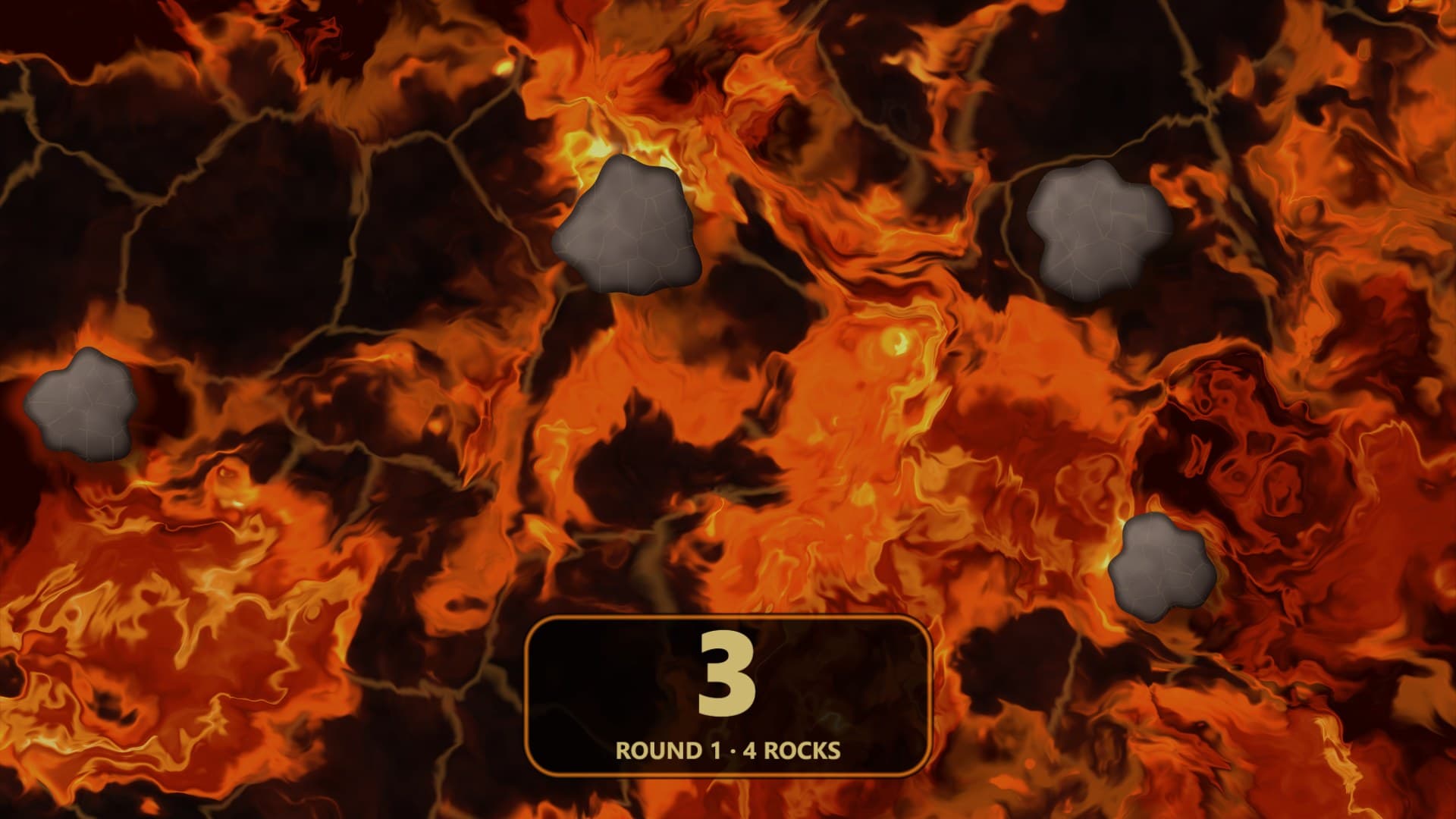
Kids have played "the floor is lava" on sofa cushions for decades. Projecting the lava onto the floor turns it into a proper game. Rocks crack and sink under the players' feet while new ones rise elsewhere, so nobody can stand still. A countdown runs on the floor itself, and when it hits zero the floor shouts JUMP! and one rock disappears for good. The last child on the last rock wins.
Commercial interactive floors do this with ceiling rigs and motion sensors. You don't need either. This guide sets the game up with an ordinary projector, a browser and the free Floor Is Lava effect. The projector can sit on a table.
What you need
- A projector. Any home or portable projector. The darker you can make the room, the less brightness matters.
- A laptop or streaming stick with a browser, connected to the projector over HDMI.
- A clear patch of floor. Pale, matte floors show lava best: light carpet, a beige rug, or a white bedsheet laid flat and taped at the corners. Dark or glossy floors show much less.
- Somewhere to put the projector where no one will land on it. More on that below.
Where to put the projector
The effect is designed for a projector pointing at the floor. How you get it there decides the rest of the setup.
Straight down. If you can mount the projector overhead, or on a tall stand leaning out over the play area, you get a clean rectangle with no correction. Few homes can do this, and it isn't required.
Angled from a table or shelf. This is the realistic option for most families. Put the projector on a high piece of furniture at the edge of the room and tilt it down at the floor. Tilting stretches the picture into a trapezoid that's wider at the far end. Use your projector's own keystone setting first, then let the effect correct the rest (see the next section).
Off a mirror. A mirror at roughly 45° in front of the lens redirects a table-top projector's beam straight down. It gets you close to an overhead picture without mounting anything. Use a mirror you can fix firmly in place, and keep it well out of reach of jumping kids.
Square up the picture in two minutes
Open the effect on the projector, select Play Fullscreen, and open the Floor setup controls:
- Turn on Alignment grid. A grid of white squares appears over the lava.
- Set Far edge to the side of the picture that lands furthest from the projector. For a projector at the end of the room, that's usually Top of picture.
- Raise Angle correction until the grid's side lines run parallel on the floor instead of fanning out.
- Adjust Depth correction until the squares look square rather than stretched away from you.
- If the near end looks noticeably brighter than the far end, raise Even out brightness. It dims the near end to match, because a projector can't make the far end brighter.
- Turn the grid off.
The corrected picture has black edges around it, which is expected. The black areas are the parts of the projector's frame that would have landed outside your rectangle.
Pick a game
Open the effect's controls and choose a Game. There are two proper games and a free mode.
Shrinking Islands: musical chairs on lava
Set Players to the number of children. The floor starts crowded, with about three rocks per child, and gets steadily emptier until there's one rock fewer than players. From then on, each jump leaves one child without a rock.
- Everyone lines up at the edge of the lava. The floor counts 3, 2, 1 while rocks rise out of the lava one at a time, far more than there are children, then calls JUMP! and everyone picks a rock.
- A countdown runs on the floor for the Round length (20 seconds by default). The rocks don't stay put: every so often one starts to crack and shake, and three seconds later it sinks. Sometimes a new rock rises elsewhere as it cracks, and sometimes nothing replaces it, so the floor gets emptier as the game goes on.
- For the first three rounds there are still enough rocks to go round. The last rock of each round cracks during the final three seconds and sinks on JUMP!.
- After that there's one rock fewer than players, and each round removes one more. Every JUMP! now leaves someone in the lava, and they're out.
- When one rock is left it's gold, and the child who reaches it is the winner. The floor shows WINNER!, then a new game starts on its own. Five children at 20-second rounds play for a little over two minutes.
Turn on Countdown beeps so a low thud sounds whenever a rock starts to crack, the last three seconds tick, and every jump gets a buzzer. Kids watch each other more than the timer, so the sound matters. The beeps are off by default, so the page doesn't beep at you while you set up.
Lava River: hop the floating rocks
Rocks float across the floor from right to left in lanes that move at different speeds, and the lava drifts with them. Set how many Rocks there are and a starting River speed. Every time the timer reaches zero, the floor calls FASTER! and the river speeds up, over six speeds in total.
Good ways to play it:
- Cross the river. Get from one side of the floor to the other using only rocks. Anyone who touches lava goes back to the start.
- Stay afloat. Everyone picks a rock and rides it. When it drifts off the edge of the floor, jump to another one. Last one standing when the river hits top speed wins.
Free Play
The rocks stay still and there's no timer. Use it for your own rules, for very young children, or with Rocks set to 0 and real cushions as islands.
Make it look right
Style switches between Molten, Cracked, Cartoon, Blue Magic and Toxic Acid. Cartoon's flat colours are less intense, which may suit younger children, and switching to Toxic Acid is an easy way to restart the fun when lava gets old. Rock size matters more: bigger rocks are kinder to small feet.
The timer sits at the bottom of the picture by default. Use Timer position to move it to whichever side most players can read it from. Rocks never appear under it, except in Lava River with the timer in the centre.
Running the game
- Set everything up before the kids line up. Changing a game setting restarts the game.
- Appoint a referee. The effect runs the rocks and the clock, but it can't see who made it onto a rock. A grown-up or an eliminated player makes the calls.
- Give out-players a job. Being out in round one is no fun for a four-year-old. Let them work the beeps, or have them do five star jumps to get back in for the next game.
- Pick the pace with Round length. Short rounds make a fast game; at 10 seconds there are no swaps, just rocks disappearing, which suits very young children. At 20–30 seconds the rocks keep moving under everyone's feet and a game lasts two to four minutes.
Keep it safe
Projected rocks feel real but have no grip, and kids will be jumping in a darkened room.
- Clear the floor of toys, table edges and anything to trip on, and leave space around the play area.
- Route the projector's power and HDMI cables along the walls, or tape them down flat.
- Keep the projector and its table outside the jump zone. The table should be heavy enough not to wobble if bumped.
- Remind kids not to look into the lens. Players standing near an angled projector's beam are the most likely to catch it.
- Don't project onto a slippery surface. A sheet over a hard floor can slide, so tape it down or use a rug.
More floor projections
Once the projector is set up, other effects can use it too. Koi Pond is a calm top-down pond that makes a good wind-down after a round of lava. It has no angle correction of its own, so it looks best with the mirror or overhead setup, or with your projector's own keystone. Falling Snow and Halloween Scenes are better on a wall, but they use the same projector for seasonal parties.
For the setup side in more depth, including throw distance, surfaces and brightness, see How to Project onto a Floor Without Mounting a Projector on the Ceiling.
Try These Effects
Floor Is Lava
A floor is lava game projected onto your floor. Shrinking Islands starts with the floor full of rocks, then they crack and sink one by one until one player is left. In Lava River you jump between rocks drifting across the room, faster every round. A big countdown is projected on the floor. Any projector works, including one on a table aimed down at an angle.
Koi Pond
Look down into a koi pond with individually patterned fish, a pebbled bed lit by moving caustics, and three scenes: a classic pond, a Chinese garden with lotus flowers and a Japanese garden with a waterfall. Watch for rare rainbow fish.
Falling Snow Projector
Make it snow on a window, wall or TV. Choose gentle snowfall, a heavy storm, big drifting crystals, wind-blown snow or a magical sparkle, and let it settle along the bottom edge. Everything else stays black, so only the snow lights up.
Halloween Scenes
Choose wandering spirits, watchful eyes, glowing jack-o’-lanterns, a zombie at the glass or a Victorian phantom. Loop a scene on your wall or position it for a floating projection illusion.
Related Articles
New Year's Eve Projector Party Ideas
Eight ways to use a projector, or just a TV, at a New Year's Eve party: from a slow starfield at dinner to fireworks at midnight, with the settings for each.
How to Project onto a Floor Without Mounting a Projector on the Ceiling
Floor projection usually means a ceiling rig. Three setups that work from a table or shelf, and how to fix the stretched picture an angled projector gives.
How to Project Fireworks on a Wall
Put a fireworks show on a wall, window or garage door with a projector and a browser, with no smoke and no noise complaints. Set it up and time the finale.